
Set Categories, Rules, Navigation Tabs, Sounds, and Levels
Organize discussion, publish community guidelines, and configure the member navigation and point system.
In this guide3 sections and article resources
Article resources
Open Creator console → Settings → Community.
Categories and rules
Use Categories to create, edit, reorder, and remove discussion categories. Give each category one purpose, choose who may post, and select the intended sort method.
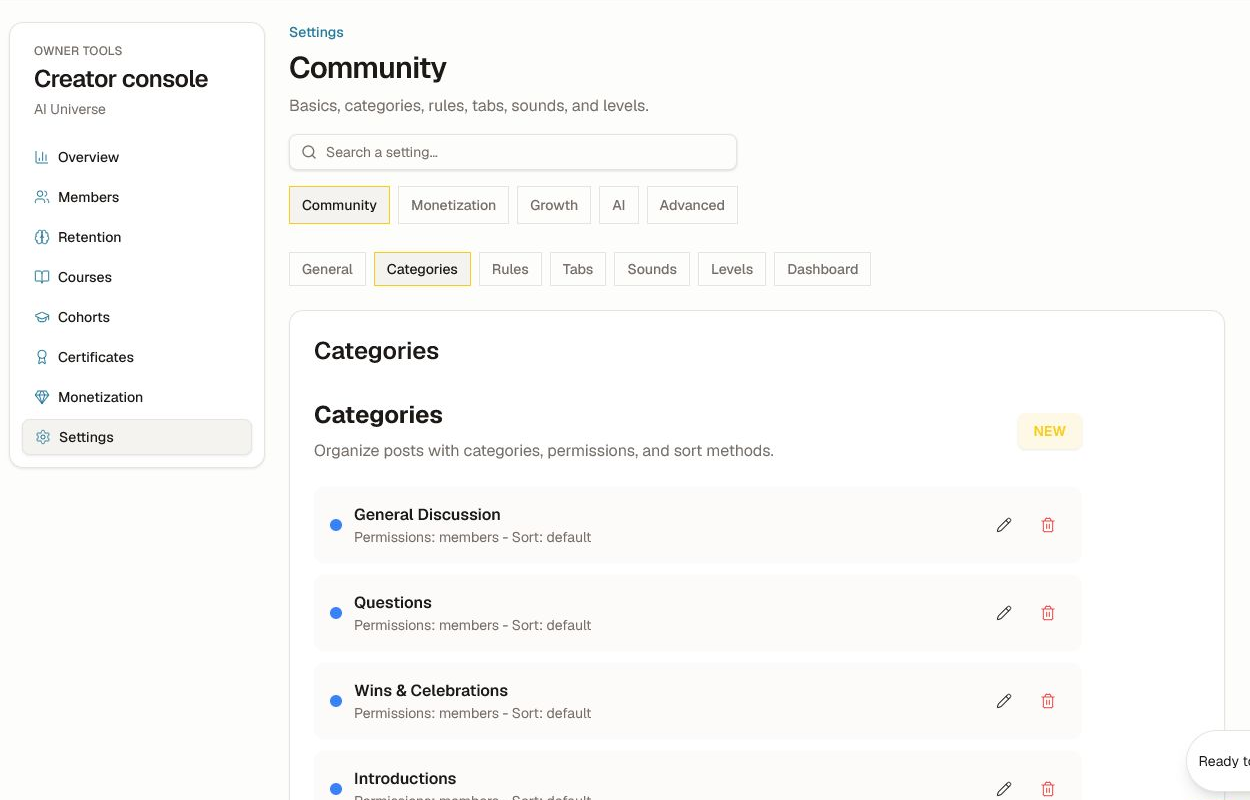
Before deleting a category, decide where existing posts should live and confirm whether the action is reversible. Use Rules → New for short, enforceable guidelines. Put safety, eligibility, promotion, and reporting rules first; avoid vague rules that cannot be applied consistently.
Tabs, sounds, levels, and dashboard
- Tabs controls member navigation. Keep labels short and do not hide the only path to required work.
- Sounds controls community sound defaults. Members may still have personal preferences.
- Gamification / Levels defines level names, point thresholds, and rewards where enabled.
- Dashboard controls available dashboard-oriented settings and default emphasis.
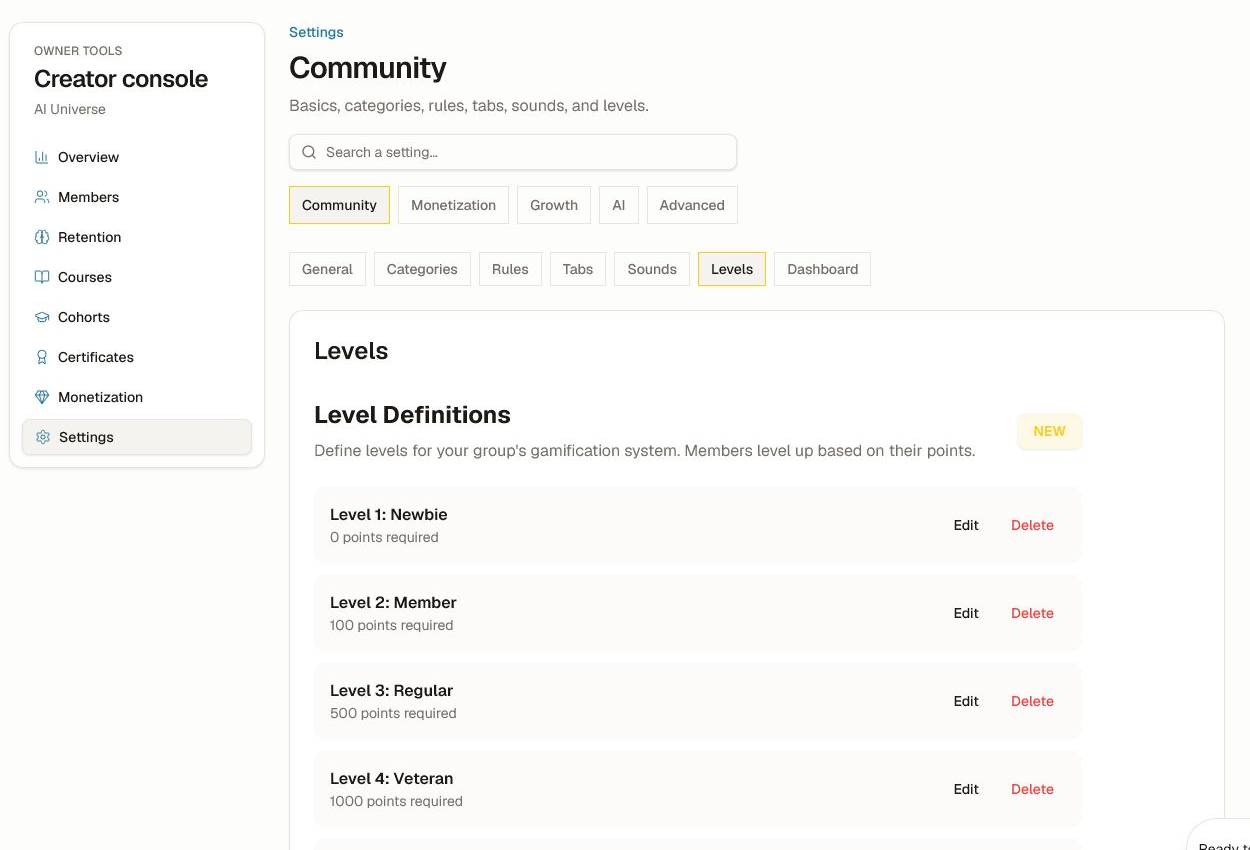
Keep thresholds strictly increasing and review how a change affects existing members. Never promise a benefit that is not actually granted by the level.
Verify the member experience
Preview the community at narrow mobile, tablet, and desktop widths after changing tabs. Test a new member and an established member. Check keyboard focus, selected-tab state, empty categories, rule visibility, reduced motion, and sound-off behavior. Do not use color, sound, points, or streaks as the only way to communicate status or eligibility.
Was this helpful?
Your response helps us improve this guide.