
Create and Manage Courses
Create a draft course, review access and status, and open the authoring workspace.
In this guide2 sections and article resources
Article resources
Open the community Classroom. Owners and authorized admins see course-management controls; members see only courses their access permits.
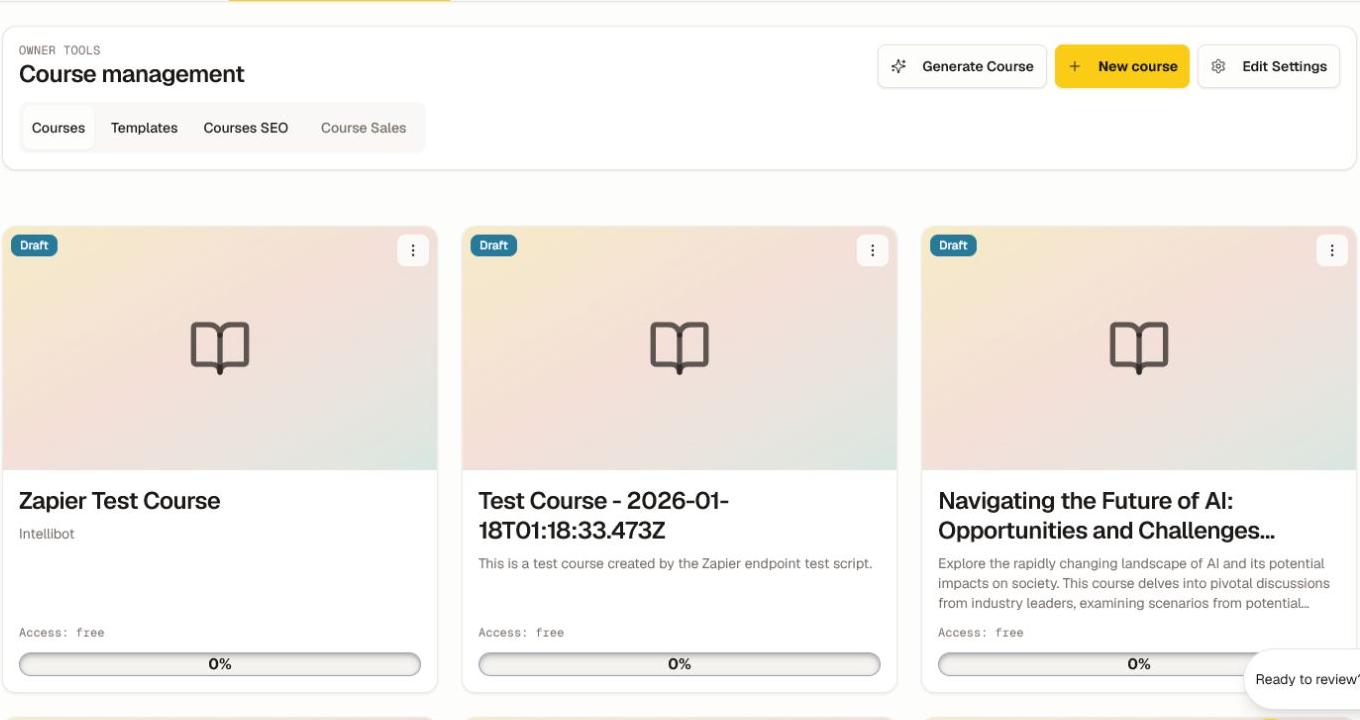
Create a course
- Choose New course.
- Add a clear name and description.
- Set access for the intended membership, tier, cohort, or sale.
- Leave Published off while you build and test.
- Save, then open the course card to enter the editor.
For an AI-grounded draft, use Generate a course with AI and follow the separate Course Studio workflow. Generation does not publish the course.
Manage and review
Use the course overflow menu for the available settings, duplication, publishing, landing, or archive actions. Open Creator console → Courses for creation date, status, progress, content-freshness indicators, and View.
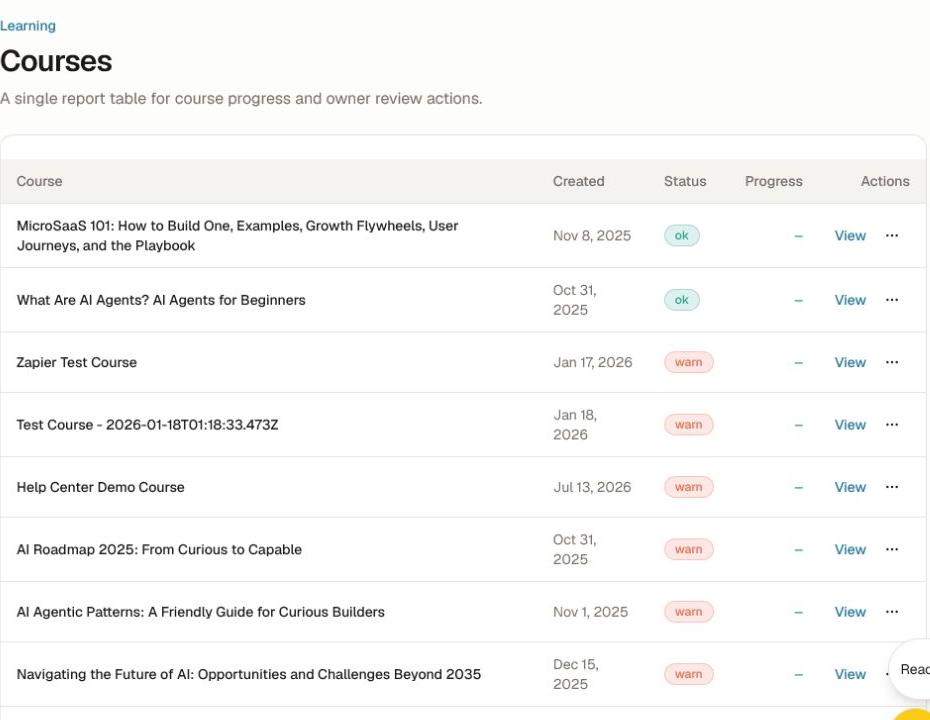
Before publishing:
- verify the outcome, lesson order, resources, captions, and quiz answer keys;
- confirm access, pricing, cohort assignment, prerequisites, and certificate rules;
- review generated content against its sources and resolve quality flags;
- preview the course and each assessment as a member;
- test keyboard, mobile, progress, and completion behavior.
Do not delete a live course to solve a visibility problem. First check publication, access, enrollment, locale, and landing-page settings. Preserve a revision or export when the content must remain auditable.
Was this helpful?
Your response helps us improve this guide.