
AdminsMembersInvitationsRoles
Invite, Review, and Manage Members and Roles
Invite one person or a CSV list, review membership signals, and use owner-gated member actions safely.
2 min readMember management
In this guide3 sections and article resources
Article resources
Invite members
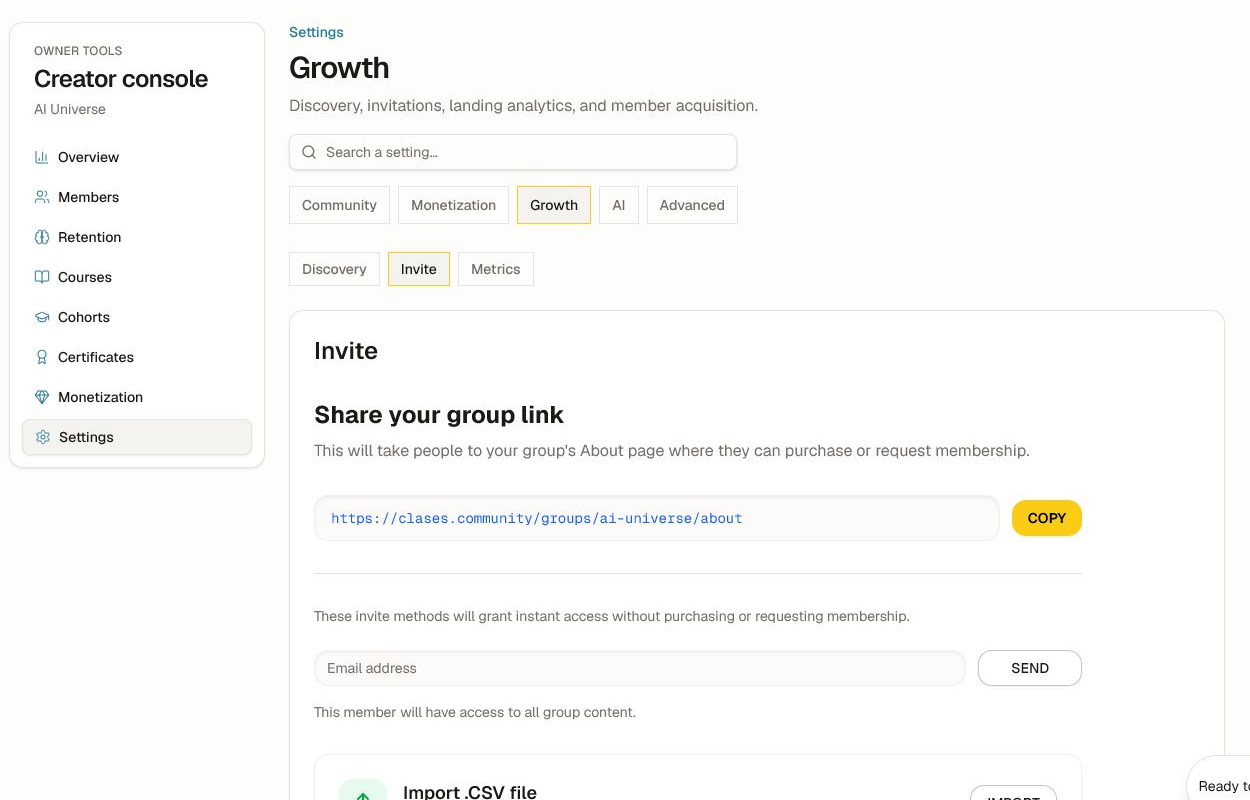
Open Creator console → Settings → Growth → Invite. Decide whether the person should follow the normal access/purchase path or receive direct access.
- Copy the About-page link when people should review the offer, purchase, or request membership themselves.
- Enter one email and choose Send only when direct access is intended.
- Use Import for a validated CSV of email addresses. Remove extra columns and confirm consent, locale, and access level before sending.
Review members
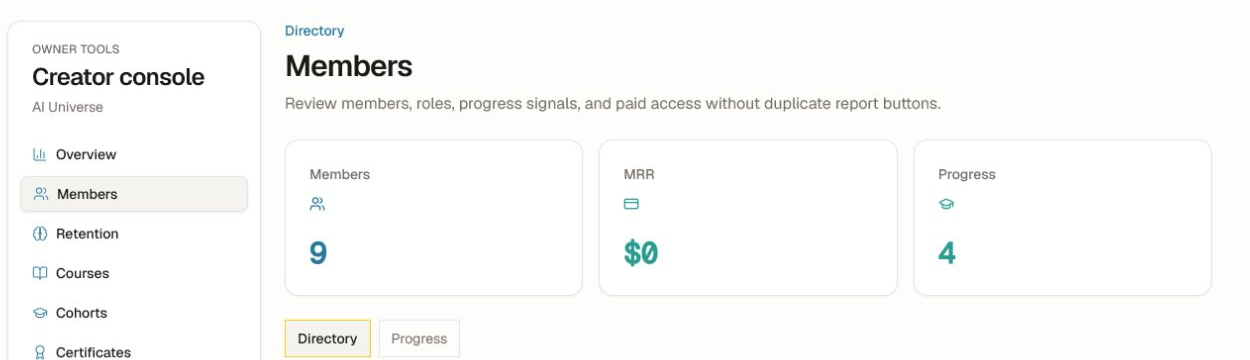
Open Creator console → Members. Use Directory for role, status, and joined date, and Progress for learning signals.
- Search or filter to the intended person.
- Open the member only after matching more than a display name.
- Review role, membership status, joined date, access, and recent learning context.
- Use the available admin action to change a role or remove access.
- Confirm the target, current role, new role, community, and reason before saving.
Role and access safeguards
- Keep at least one verified owner. Do not demote the only owner.
- Give the smallest role needed; admin access can expose operational and member data.
- Resolve payment or subscription disputes in the billing workflow, not with an unexplained role change.
- Removing community access does not necessarily cancel an external subscription or erase required records.
- Do not export or share the roster unless the destination and purpose are approved.
After a change, verify the member view with a non-admin account and record the reason in the appropriate operational log. If an invitation is missing, confirm the address, spam folder, existing account, community, and whether the person already has access before resending.
Was this helpful?
Your response helps us improve this guide.
Related articles
Review the Unified Inbox and Agent Conversation HistoryDistinguish peer messages from AI conversations, inspect read-only agent history, and continue in the correct surface.Read article Configure Discovery, Invites, Affiliates, and Growth MetricsMake a community findable, choose the right invitation path, and measure referral growth.Read article Moderate Posts, Members, and Community Safety