
Find Events and Subscribe to a Community Calendar
Browse events, filter by location, open event details, and keep community sessions in your personal calendar.
In this guide2 sections and article resources
Article resources
Choose Calendar inside a community to see its scheduled sessions.
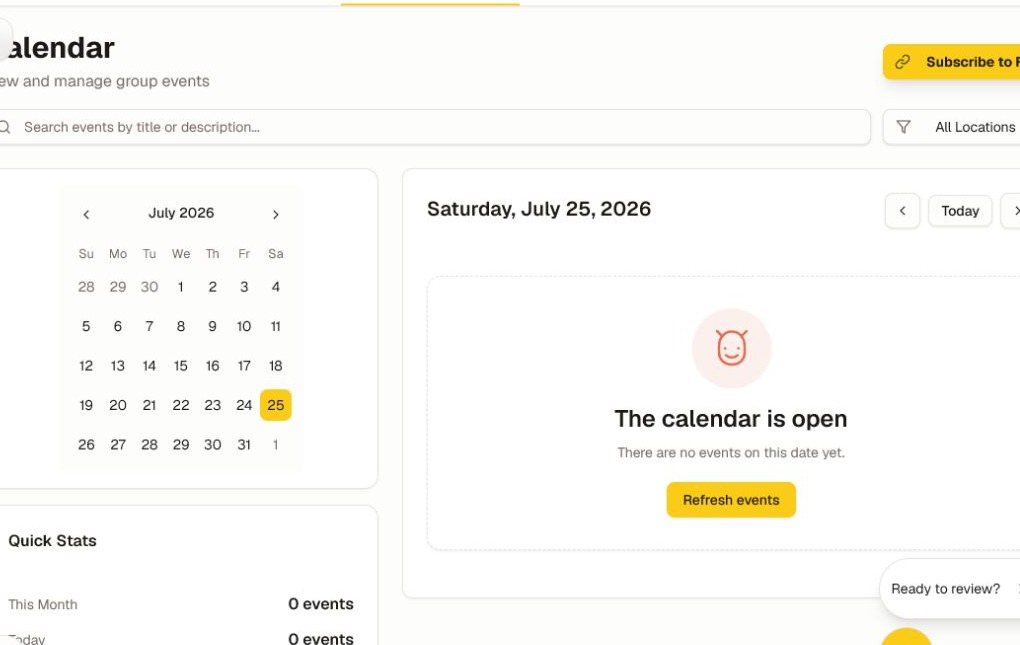
- Search by event title or description, or use All Locations to filter where events happen.
- Move between months with the arrow controls, or choose Today to return to the current date.
- Select an event to review its date, time, time zone, duration, location or meeting link, access rules, and agenda.
- RSVP or use the event's personal-calendar action when the creator provides one.
- Return to the community Calendar to see changes made by the event organizer.
Subscribe to the calendar feed
Choose Subscribe to Feed to connect a compatible calendar app. A subscription stays updated when the community changes a published event; a one-time “add to calendar” file may not.
Treat the subscription URL as private. Anyone who receives it may be able to read the events in that feed. If you shared it accidentally, ask the community admin how to replace or revoke it.
Check times before joining
Event details can combine the organizer's time zone, your account time zone, and the time zone used by your calendar app. Confirm the displayed zone before joining a live session. If an event appears on the wrong day, review the time zone under Settings → Profile and in your personal calendar before reporting the event.
Was this helpful?
Your response helps us improve this guide.