
Create an Account, Sign In, or Reset Your Password
Start a Clases account, return to the correct membership, and recover access without creating a duplicate profile.
In this guide3 sections and article resources
Article resources
Create an account
- Open Sign Up from Clases or from the community you want to join.
- Enter your full name and an email address you can access.
- Create and confirm your password.
- Choose Create Account and complete any email verification shown.
- Return to the community or invitation that brought you to Clases and finish its join or access step.
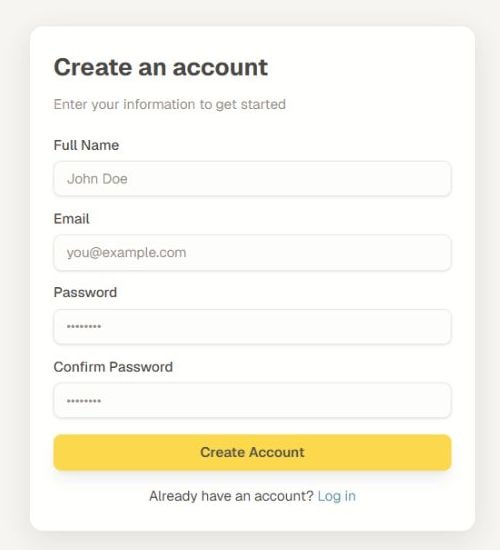
Use one account for your memberships whenever possible. Creating a second account with another address separates your communities, progress, purchases, messages, and certificates.
Sign in to the correct account
Open Log in, enter the email and password connected to your membership, and choose Sign In. A community-specific sign-in page can carry you back to that community after authentication.
If your browser filled an old address, replace it before continuing. After sign-in, open My Groups and verify that the expected communities are present.
Reset your password
- Choose Forgot password? on the sign-in form.
- Enter the account email and select Send Reset Link.
- Open the newest reset message. Check spam or junk if it does not arrive within a few minutes.
- Follow the link, enter and confirm the new password, then choose Update Password.
- Return to Log in and use the new password.
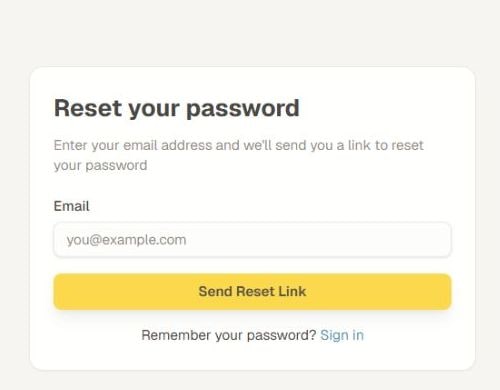
Reset links can expire or be superseded by a newer request. Use the newest message and request another only after checking the email spelling. Never share a password, reset link, or one-time verification code with a community admin or another member.
Was this helpful?
Your response helps us improve this guide.