
Understand Points, Levels, Streaks, and Leaderboards
See your community rank, compare time periods, and understand how eligible participation affects points.
In this guide1 section and article resources
Article resources
Choose Leaderboards in a community. The summary shows your current rank, point total, level, and active streak without requiring you to scan the full ranking.
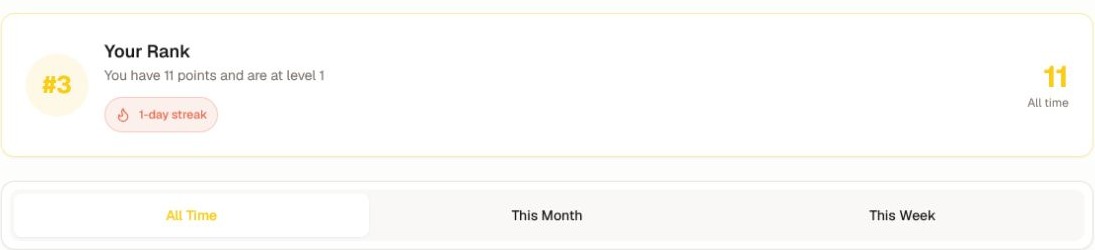
Use All Time, This Month, or This Week to change the period. The position and point total can change between tabs because each period counts a different window of eligible activity.
How points and levels work
The community creator defines:
- which actions award points;
- how many points each action is worth;
- the level names and thresholds; and
- whether particular activity qualifies for a streak.
Eligible actions can include lessons, quizzes, posts, comments, reactions, events, or other configured participation. The How to Earn Points area on the page is the authoritative list for that community.
Streaks count consecutive eligible days using the community's day boundary. A streak can reset when no qualifying action is recorded in that window.
Points and ranks are participation signals. They do not replace course completion, a required quiz score, a certificate rule, or an admin's assessment decision. If points do not appear, refresh once and check the configured action before asking the community admin to review it.
Was this helpful?
Your response helps us improve this guide.